Introducing the SportsGameOdds SDKs
October 28, 2025 · Updated March 18, 2026
We’re excited to announce the launch of the official SportsGameOdds SDKs, now available across multiple programming languages.
While you can always make requests to our API directly, these SDKs make it dramatically easier to get started — with quick installation, clean syntax, built-in pagination, error handling, and complete type safety.
You can also explore our complete guide here: SportsGameOdds SDK Documentation
Why Use the SDK?
Developers love flexibility, but nobody enjoys boilerplate.
Our SDKs streamline everything from authentication and pagination to retries and filtering, so you can focus on building instead of wiring up requests.
Key benefits include:
- Quick setup — Start making calls in under a minute
- Auto & manual pagination — Seamlessly iterate through large datasets
- Full type safety — Strong typing and IDE autocomplete in all SDKs
- Powerful filtering — Query by league, date, odds availability, live/finalized status, and more
- Custom timeouts and retries — Handle network issues gracefully
- Real-time streaming support (AllStar plan)
- Simple, consistent API design across all languages
Supported Languages
We’ve released SDKs for the most popular developer stacks:
- TypeScript / JavaScript
- Python
- Go
- Ruby
- Java
Each SDK comes with full documentation, examples, and type definitions.
Quick Installation
TypeScript / JavaScript
npm install sports-odds-api
# or
yarn add sports-odds-api
# or
pnpm add sports-odds-api
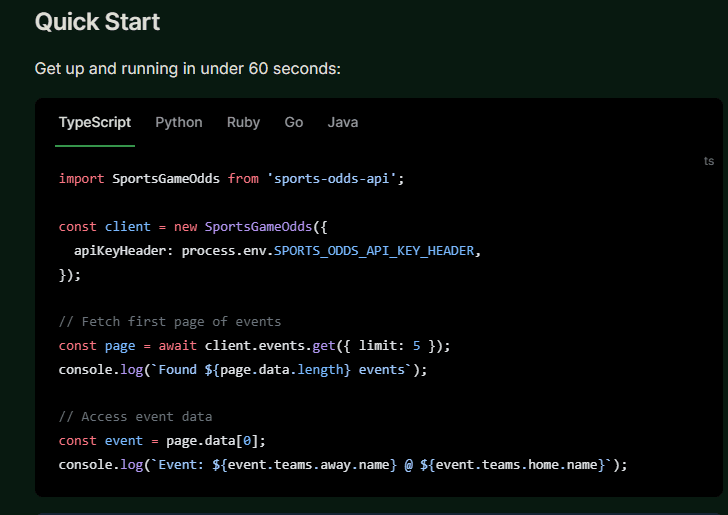
Quick Start Example (TypeScript)
import SportsGameOdds from 'sports-odds-api';

const client = new SportsGameOdds({
  apiKeyHeader: process.env.SPORTS_ODDS_API_KEY_HEADER,
});

// Fetch first page of events
const page = await client.events.get({ limit: 5 });
console.log(`Found ${page.data.length} events`);

// Access event data
const event = page.data[0];
console.log(`Event: ${event.teams.away.name} @ ${event.teams.home.name}`);
You’ll find identical examples in our Python, Ruby, Go, and Java SDKs.
Pagination Made Simple
Our SDKs make it easy to handle large datasets efficiently with auto-pagination or manual pagination.
Auto-Pagination
for await (const event of client.events.get({ limit: 100 })) {
  console.log(`${event.eventID}: ${event.activity}`);
}
Manual Pagination
let page = await client.events.get({ limit: 100 });

while (page.hasNextPage()) {
  page = await page.getNextPage();
  console.log(`Fetched ${page.data.length} events`);
}
Error Handling
Handle API errors cleanly with built-in exception types:
try {
  const page = await client.events.get();
  console.log(`Fetched ${page.data.length} events`);
} catch (err) {
  if (err instanceof SportsGameOdds.APIError) {
    console.error('API Error:', err.message);
  } else {
    console.error('Unexpected error:', err);
  }
}
Common error types include:
- 401 Unauthorized — Invalid or missing API key
- 403 Forbidden — Feature not available on your plan
- 404 Not Found — Resource not found
- 429 Too Many Requests — Rate limit exceeded
- 5xx Server Errors
Real-Time Odds Streaming (AllStar Plan)
For applications that require live updates, the SDKs support real-time streaming via WebSocket (Pusher). Subscribe to live events, player props, and line updates with minimal setup.
const streamInfo = await client.stream.events({ feed: 'events:live' });
console.log('Connected to stream:', streamInfo.channel);
Example Projects
All SDKs include working examples and starter templates on GitHub:
You can also explore our complete guide here: SportsGameOdds SDK Documentation
What’s Next?
We’re actively expanding SDK support and adding new language bindings based on community feedback. If there’s a language or framework you’d like us to prioritize — let us know!
Whether you’re building a sportsbook, fantasy sports app, or betting analytics platform, our SDKs make integration fast, consistent, and developer-friendly.
Read More: Getting started with the odds API | What people are building with the API
Ready to get started?
Join thousands of developers building the next generation of sports and betting applications.